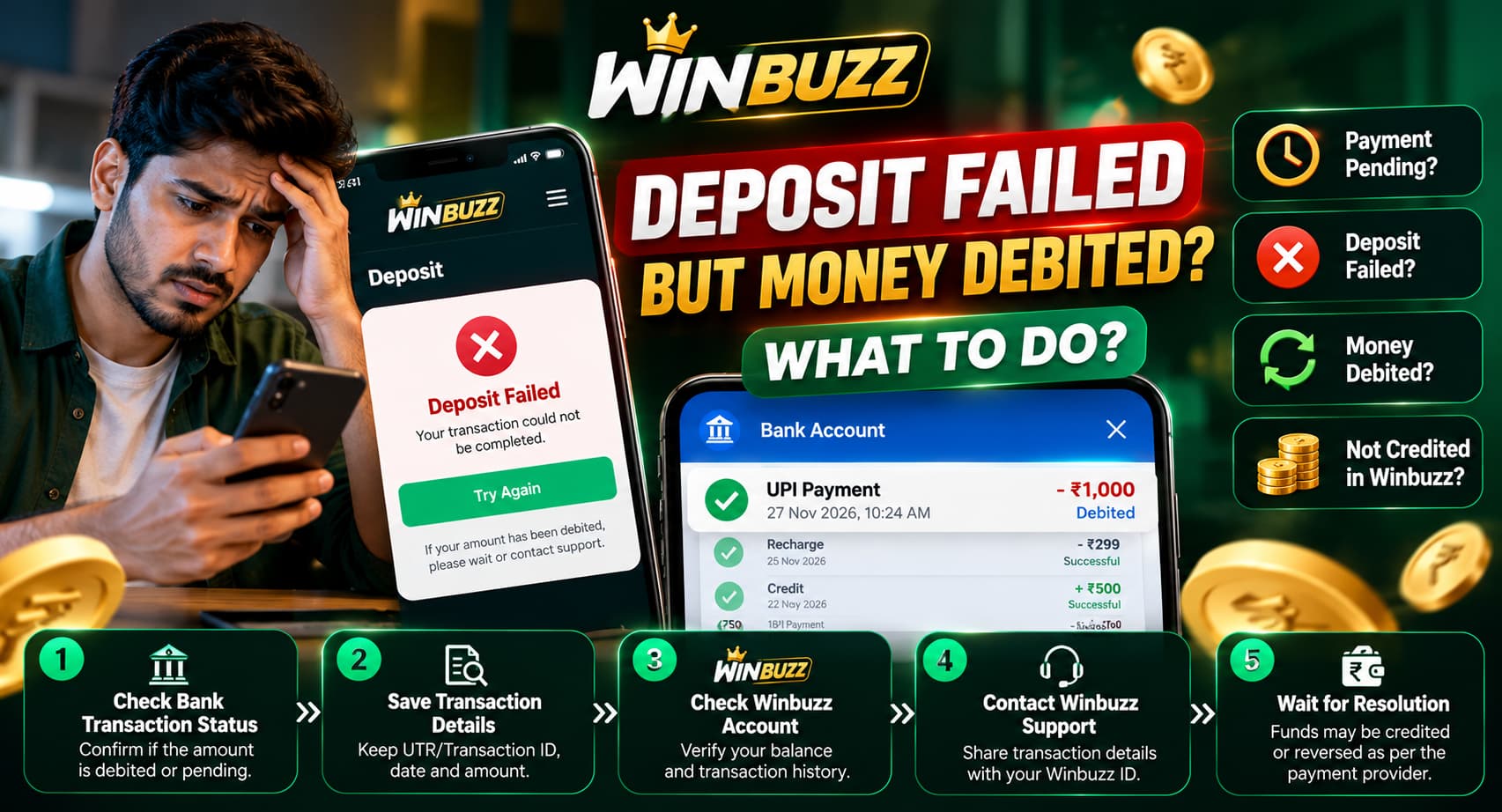
Winbuzz, open your banking app, complete a payment, and receive a notification confirming that money has been deducted from your account. But when you return to Winbuzz, the deposit balance hasn’t changed. The transaction may show as failed, pending, or simply not appear in your account history.
It’s a frustrating situation, especially when your bank shows a successful debit but your Winbuzz Deposit remains uncredited.
First, understand that a debit doesn’t always mean the receiving platform has successfully processed the payment. A transaction can be delayed, rejected, reversed, or left waiting for confirmation between payment systems.
Whether you’re using a Winbuzz ID through a mobile browser or checking your account on the Winbuzz App, this guide explains what could have happened, how to investigate the transaction, and what to do if the money doesn’t return.
Why Did My Winbuzz Deposit Fail But My Money Was Debited?
A failed deposit with a successful bank debit can occur when different payment systems report conflicting transaction statuses.
For example, your bank may successfully deduct funds, but the receiving payment service may not immediately confirm the transaction. As a result, your Winbuzz account may continue showing the previous balance.
Here are some possible reasons:
1. Payment Gateway Processing Delay
Online payments pass through multiple systems before reaching their destination. A delay in one part of this process can prevent the receiving platform from immediately confirming the transaction.
The banking application might show a debit while the platform continues displaying a pending or failed payment.
2. UPI Transaction Timeout
If you attempted a payment through a UPI application, the transaction may have encountered a timeout or connectivity issue. In some cases, the bank records a debit before the final transaction status becomes available.
3. Network Interruption During Payment
An unstable internet connection may interrupt the return from a payment page to the gaming platform.
The payment might have been processed by the bank even though your browser or application did not display a successful confirmation.
4. Incorrect Payment Reference or Account Mapping
A payment may not be associated with the expected account if there is an error in transaction identification or reconciliation.
This is one reason to verify your Winbuzz ID and transaction records when reporting a missing deposit.
5. Payment Rejected by the Provider
Payment providers may decline or reverse transactions because of security policies, merchant restrictions, compliance checks, or other processing rules.
This can be particularly relevant for transactions associated with real-money gaming, where payment availability and legal restrictions can vary.
Dig Deeper<<<How to Contact Winbuzz Customer Support: Complete Guide
Winbuzz Deposit Failed but Money Debited: What to Do First
If your money has been deducted but your Winbuzz game balance has not updated, avoid immediately making another payment. Instead, follow these steps to establish what happened.
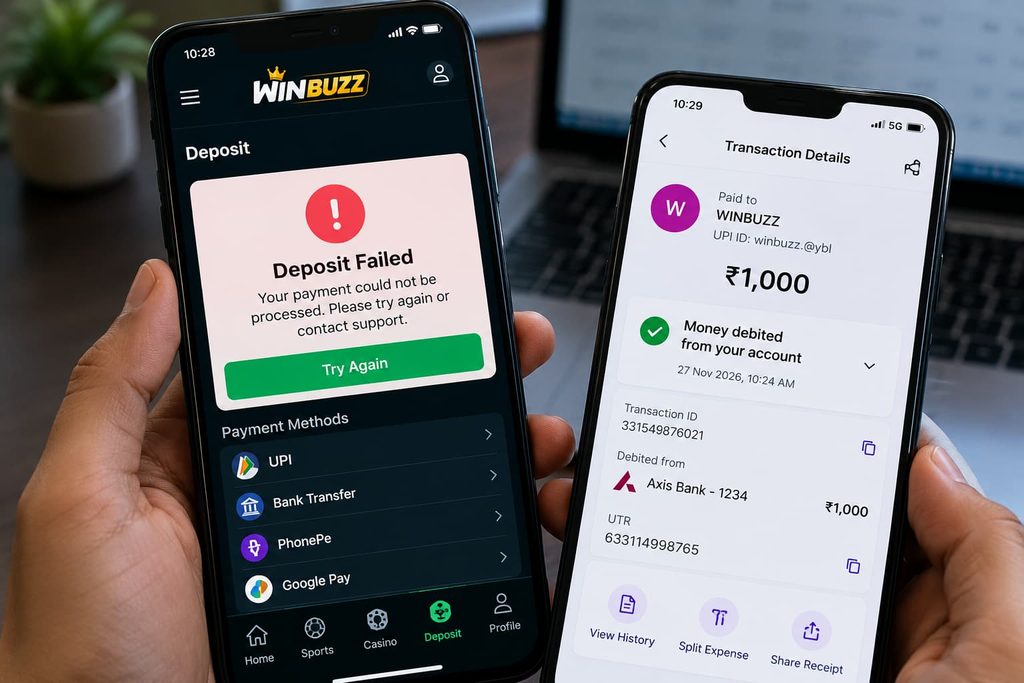
Step 1: Check Your Bank or UPI Transaction Status
Open the banking or payment application originally used for the transaction.
Locate the payment in your transaction history and examine its current status.
Common status messages include:
- Successful: The sending bank or payment service reports that the transfer was completed.
- Pending: The transaction is still awaiting a final status.
- Failed: The payment did not complete successfully.
- Reversed or Refunded: The payment amount has been returned or a reversal has been recorded.
Be aware that a successful status at the sending bank does not, by itself, prove that Winbuzz has received or credited the money.
Step 2: Check Your Winbuzz Account Balance
If you already have an account, review the balance and transaction history through your verified Winbuzz Login page.
Check whether the payment appears as pending, completed, failed, or missing.
If a transaction entry exists, record its status and any reference displayed.
Do not assume that refreshing the page repeatedly will resolve a payment-processing issue.
Step 3: Save Your Transaction Details
Keep a record of the transaction before contacting your bank or payment provider.
The most useful information includes:
- Payment date and approximate time
- Amount debited
- UPI transaction ID, UTR, or bank reference number
- Payment application or bank used
- Bank transaction status
- Any relevant reference shown in your Winbuzz account
You may also retain a screenshot of the payment status for your records.
Before sharing screenshots with Winbuzz customer support, conceal unrelated account details, balances, personal identifiers, and other sensitive information.
Step 4: Contact Your Bank or Payment Provider
If the bank shows a debit but the recipient has not credited the payment, request a transaction trace or raise a payment dispute through your bank or payment application.
Explain that the amount was debited but the receiving service has not confirmed the transaction.
Ask whether the payment was successfully settled, rejected, or reversed.
If the transaction is eligible for an automatic reversal, your bank should be able to explain the applicable timeline and complaint process.
Step 5: Report the Missing Winbuzz Deposit
If the payment provider confirms that money reached the intended recipient but the account balance remains unchanged, you may need to raise an account-specific query through independently verified support channels.
Provide only the information necessary to identify the transaction, such as a transaction reference, amount, date, and relevant account identifier.
Never share your Winbuzz password, UPI PIN, OTP, or internet banking credentials.
Step 6: Avoid Duplicate Payments
One of the most common mistakes after a missing deposit is attempting another payment before the original transaction has been resolved. This can result in multiple debits and a more complicated investigation.
Wait for a confirmed resolution or clarification from the financial institution rather than sending additional money to an unfamiliar recipient.
Winbuzz Deposit Problems: Common Causes and Solutions
| Deposit problem | Possible cause | Recommended action |
|---|---|---|
| Money debited but balance not updated | Payment confirmation or reconciliation issue | Check bank status and preserve transaction details |
| Winbuzz Deposit showing pending | Payment processing incomplete | Review the provider’s status and applicable timeline |
| UPI payment failed | Network timeout, bank rejection, or provider issue | Check whether funds were reversed |
| Payment successful but missing in account | Unconfirmed recipient-side processing | Request a trace from the payment provider |
| Duplicate deposit deduction | Multiple payment attempts | Record both transactions and report them separately |
| Deposit page not loading | Network or website issue | Check browser connectivity and avoid repeated payments |
| Payment recipient appears unfamiliar | Potential impersonation or fraud | Stop and verify the recipient independently |
How Long Does a Failed Winbuzz Deposit Refund Take?
The time required to reverse a failed payment depends on the payment method, banks involved, transaction category, and the actual reason for failure.
For Indian domestic UPI transactions, applicable Reserve Bank of India rules include specified reversal timelines for certain failed transaction scenarios. However, the correct timeline depends on how the transaction is classified.
For example, an eligible UPI transfer where the beneficiary account was not credited may be subject to different handling from a merchant payment where confirmation was not received.
A debit that has been successfully settled to a merchant but has not appeared in a gaming account may instead require a separate reconciliation or dispute investigation.
Important: Do not assume every missing Winbuzz deposit will automatically be refunded within the same timeframe. Confirm the transaction category and applicable process with your bank.
Winbuzz UPI Payment Failed but Amount Deducted
Winbuzz UPI payments can sometimes display different statuses across the sending bank, receiving bank, payment application, and merchant system.
If you used an eligible UPI payment channel and the amount was deducted, start by reviewing the transaction reference and status in your payment app. A UPI transaction ID or UTR can help your bank investigate the payment.
If the amount remains unresolved, raise a complaint through your payment application or bank.
If the issue cannot be resolved through normal support channels, eligible consumers may have access to formal escalation procedures, including the RBI’s Integrated Ombudsman mechanism.
Do not send additional payments to individuals claiming they can release or manually credit a failed transaction.
Read More<<<How to Identify Fake Winbuzz APK Download Links: A Complete Security Guide for 2026
Winbuzz App Deposit Not Showing? What to Check
Sometimes the issue appears to be related to the Winbuzz App rather than the banking transaction.
For example, an outdated display, interrupted session, or account-sync issue could cause the visible balance to differ from the most recent account records.
Before making any changes, check the following:
Internet connection: Make sure the device has a stable connection when reviewing the account.
Account session: Confirm that you are viewing the intended account and not an outdated or separate session.
Transaction history: Look for the payment reference rather than relying only on the displayed balance.
Application authenticity: Avoid downloading APK files from unknown websites claiming to fix payment issues.
Bank confirmation: Use your banking or payment application as the primary source for checking whether funds were actually deducted.
Reinstalling an application or clearing its cache will not necessarily resolve a real payment-processing problem.
Does a Winbuzz ID Affect Deposit Confirmation?
Your Winbuzz ID acts as an account identifier and may be relevant when identifying transaction records.
If a payment has not appeared in your account, support staff may need the correct account reference to investigate.
However, a Winbuzz ID should never be treated as a substitute for a valid payment reference.
Winbuzz Register should understand that registration does not guarantee that deposits are supported, legally permitted, or immediately credited.
Only use a verified account interface to review payment information, and never provide account credentials to a third party promising to restore a missing balance.
How to Protect Yourself From Fake Winbuzz Payment Support
A failed payment can create an opportunity for scammers to impersonate customer support teams.
Fraudsters may claim that a deposit can be recovered immediately if you complete an additional transaction or disclose sensitive information.
Be cautious of messages requesting:
- An OTP to release a deposit
- A UPI PIN for a refund
- An additional payment to activate a pending balance
- Installation of a remote-access application
- Your internet banking password
- Sensitive identity documents sent to an unverified contact
A legitimate bank refund investigation should not require sharing your UPI PIN or login password.
If you believe you have been targeted by financial fraud in India, report the incident to your bank immediately. You can also use the official cybercrime reporting channels where appropriate.
How to Avoid Future Deposit and Payment Problems
Payment failures cannot always be prevented, but better recordkeeping can make disputes easier to investigate. Before any online payment, check the recipient’s authenticity, applicable payment restrictions, and whether the transaction is legally permitted.
Keep your banking application updated and review payment confirmation screens carefully. Avoid using unfamiliar payment links shared through messaging groups.
Most importantly, never increase payment amounts or make repeated transfers in response to a failed transaction.
Frequently Asked Questions
1. Why did my Winbuzz deposit fail even though money was debited?
Possible reasons include a payment timeout, bank processing delay, provider rejection, or reconciliation issue. Review your bank transaction status to identify the most appropriate next step.
2. What should I do if my Winbuzz deposit is not credited?
Check your bank or UPI payment status, save the transaction reference, review your account history, and raise a payment trace or dispute with the relevant financial institution.
3. Can I recover money from a failed Winbuzz deposit?
Recovery depends on whether the transaction failed, was reversed, or successfully reached the intended recipient. Your bank or payment provider can investigate the transfer, but a refund cannot be guaranteed.
4. Is it safe to share my Winbuzz ID with customer support?
An account identifier may be needed for a legitimate account enquiry. However, verify the support channel first and never share passwords, OTPs, UPI PINs, or unnecessary personal information.
5. Why is my Winbuzz App not showing the updated deposit balance?
The displayed information may be affected by an account-session issue, delayed transaction confirmation, or a provider-side problem. Check the payment status independently before assuming the issue is only related to the app.
6. Can I make another deposit while the first payment is pending?
It is generally safer to resolve the original transaction first. Repeating a payment can create additional debits and increase the complexity of a dispute.
7. Does Winbuzz Register require account verification for deposits?
Verification requirements depend on the relevant platform, payment provider, and legal rules. Registration alone does not establish that real-money gaming transactions are permitted.
8. Where can I complain about a failed UPI payment?
Start with your UPI application or bank. If the complaint is not resolved through the prescribed process, eligible users can consider the applicable NPCI dispute channels and RBI complaint mechanisms.
Final Thoughts on Winbuzz Deposit
Winbuzz Deposit Failed, but Money Debited issue should be handled carefully, especially when the bank and receiving platform display different payment statuses.
The priority is to establish whether the transaction failed, remains pending, was reversed, or successfully reached the intended recipient.
Keep your payment reference, review your account history, and contact the appropriate financial institution instead of repeatedly sending money. Most importantly, remember that real-money gaming transactions can be subject to payment restrictions and legal requirements. Winbuzz website or app being accessible does not necessarily mean deposits are legally permitted.